Skip to content

For anyone who takes donations through a US nonprofit

Tap. Give. On your phone.

The donor taps a card or phone, and the money goes to the nonprofit's account. No card reader, and no Stripe account access needed.

Works on Android™ 13 and later. iPhone in development.

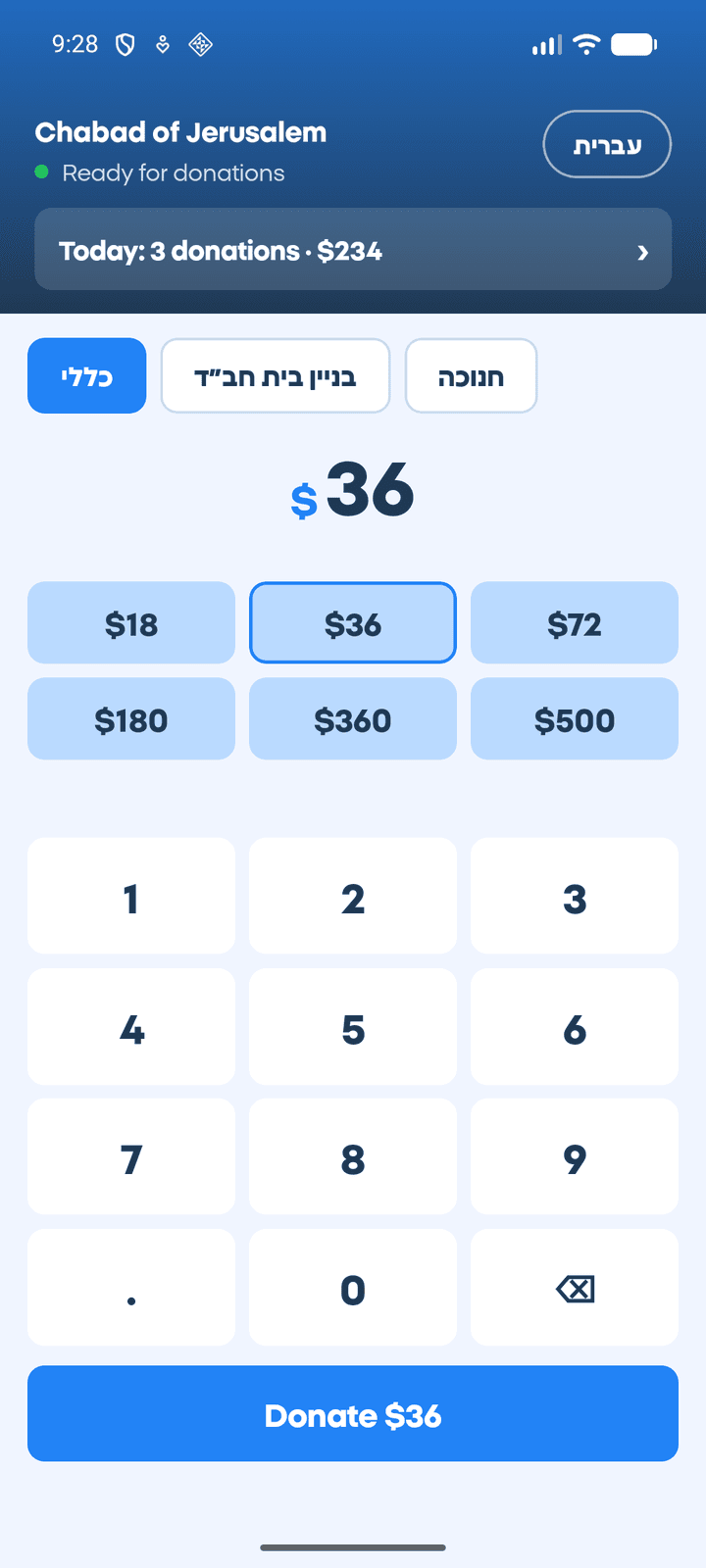
The amount screen in the app: campaign choice, preset amounts and a "Donate $36" button

Sound familiar?

You collect donations, and they go through a US nonprofit. Its account, not yours. A donor is standing in front of you and wants to give now, by card. You have no access to the Stripe app, and no card reader. So you say "I'll send you a link." And the donation is forgotten.

There's another way.

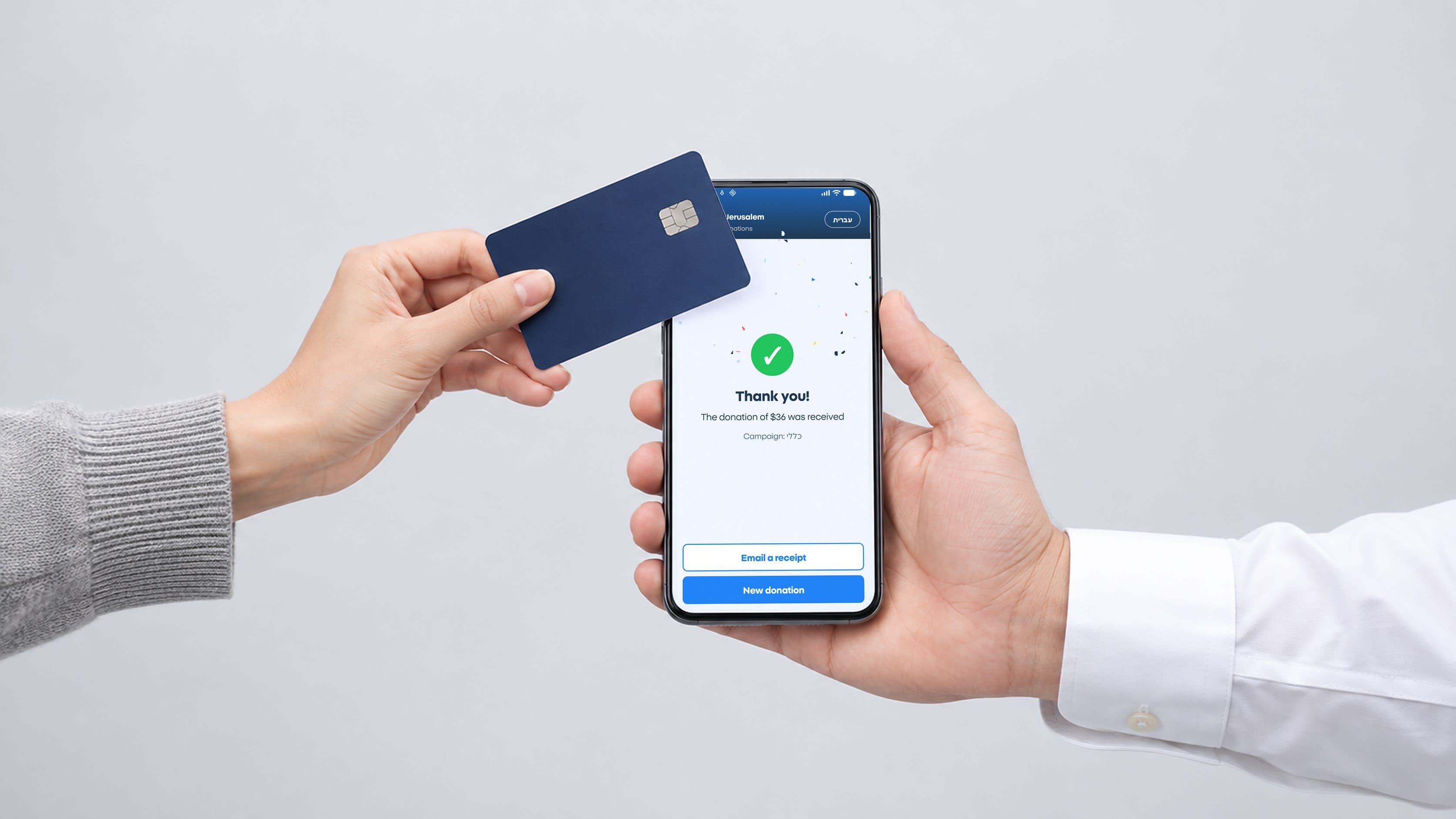
Rendering: a hand with a white shirt cuff holds a phone showing the app's "Thank you" screen, and a donor's hand taps a credit card on it

How it works

  1. Pick an amount.

    Preset amounts or any other amount. And choose which campaign the donation goes to.

  2. The donor taps.

    A credit card, Apple Pay or Google Pay. No extra reader.

  3. Donation received.

    The money is on its way to the nonprofit's Stripe account.

  4. Email receipt.

    Receipts turned on by the nonprofit? The donor types an email and it's sent. Doesn't want one? Skip it.

  5. Today's donations.

    Every donation this phone took today, in one list.

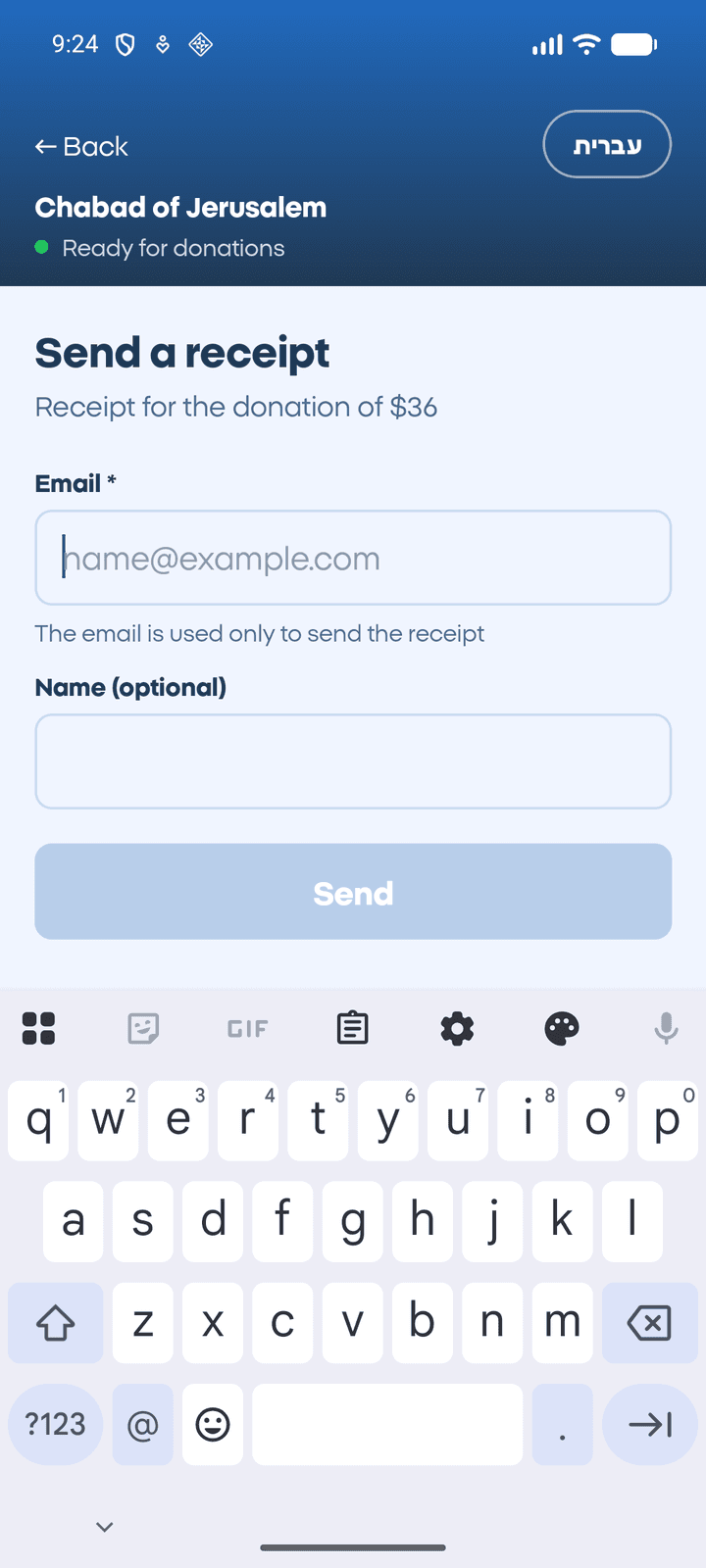
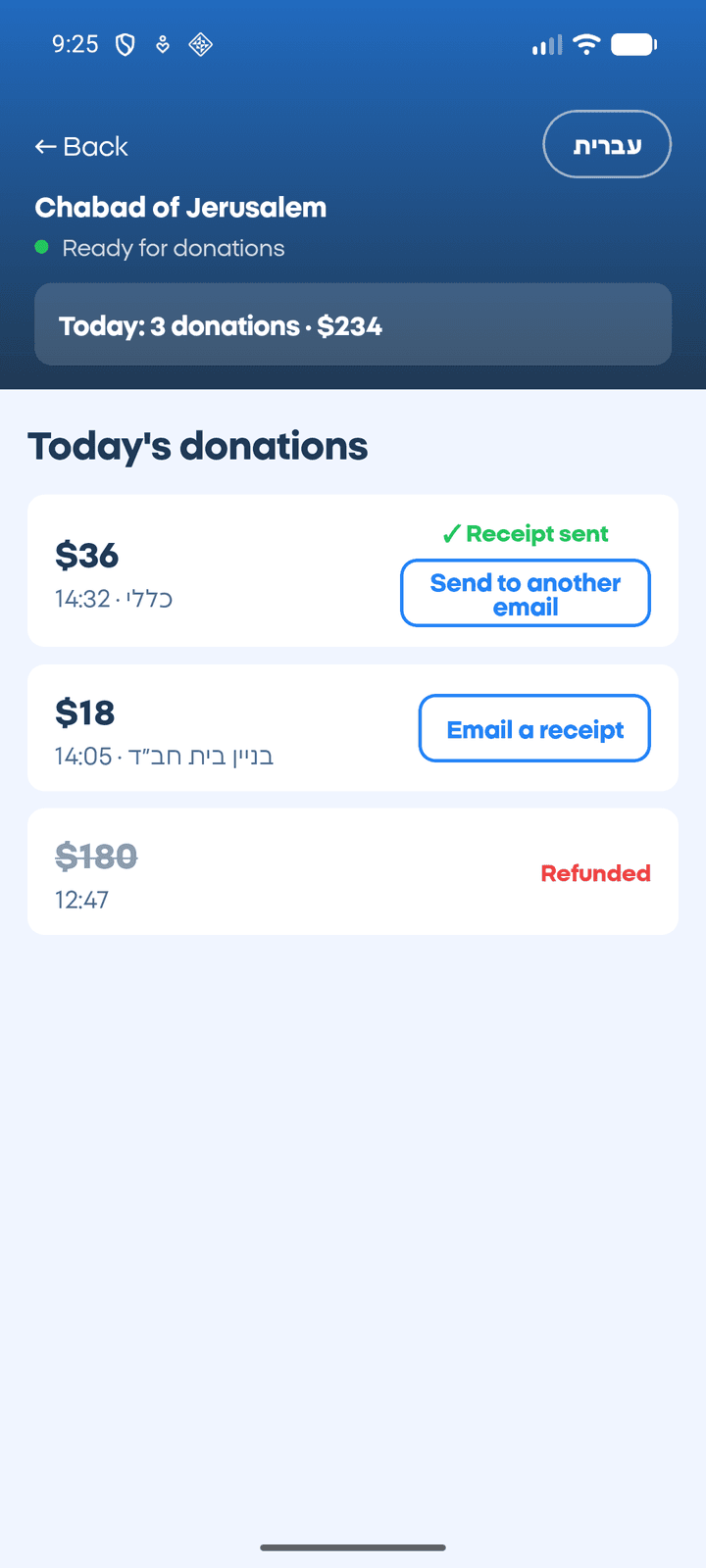
The amount screenThank you screen: the $36 donation was receivedThe receipt screen: a field for the donor's email and a send buttonToday's donations screen: a list of donations and a total

No card reader. No Stripe app. No need for account access.

All an emissary needs: an Android 13+ phone with NFC, and the code the nonprofit gives them.

How to get started

  1. The nonprofit connects once

    Connect the nonprofit's Stripe account to Touch & Give. Once, for all its emissaries.

  2. The emissary connects the phone

    The nonprofit creates a code for each emissary. Install the app, enter the code, done.

  3. The donor taps

    Pick an amount, the donor taps a card or phone, and the money is on its way to the nonprofit's account.

What's in the app

Tap a card or phone

Credit cards, Apple Pay and Google Pay. No extra reader.
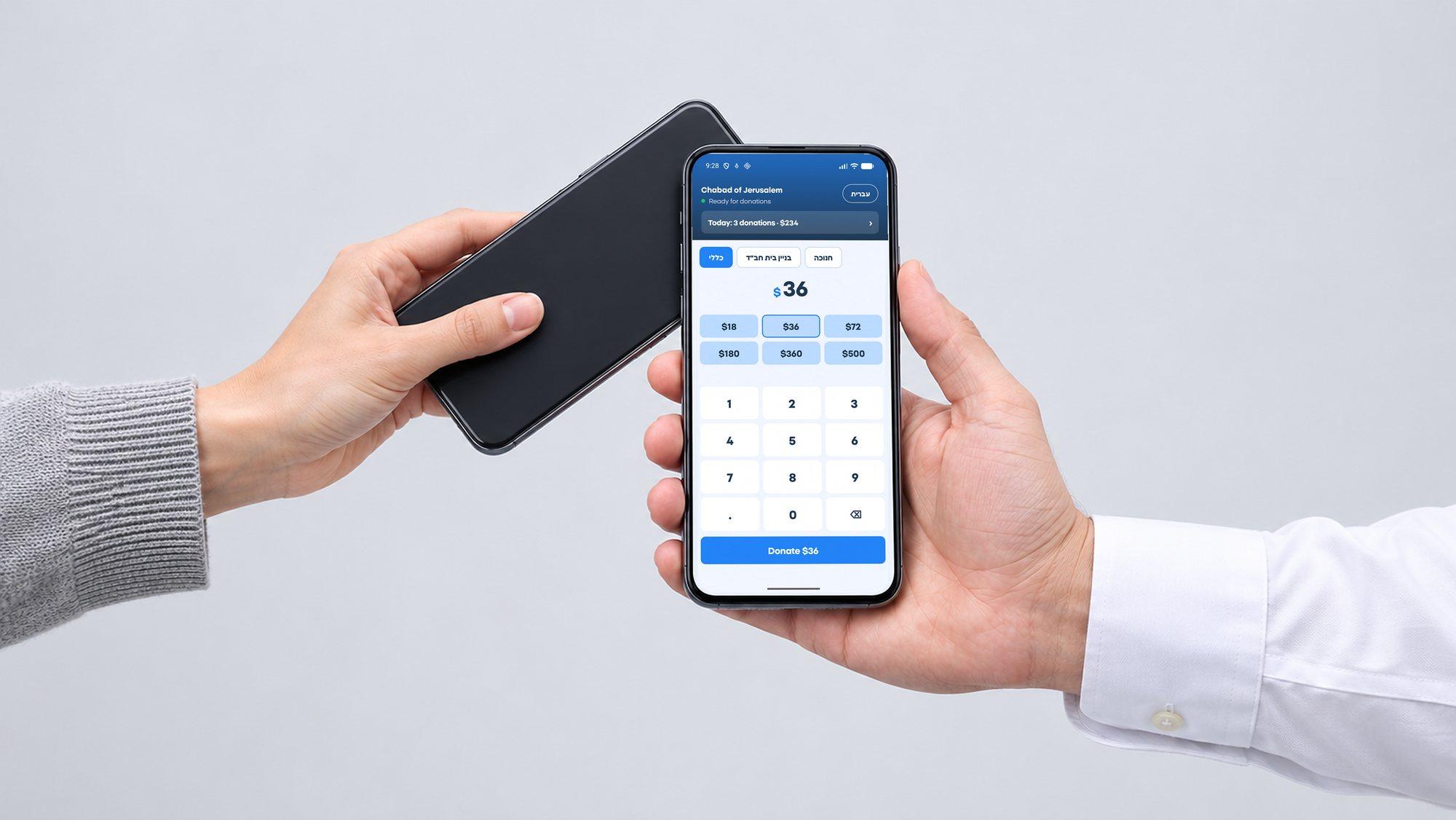
Rendering: a donor taps their phone on the emissary's phone, which shows the app's amount screen

Campaigns

Choose where the donation goes: general, building fund, Chanukah, whatever the nonprofit set up.

The app's amount screen, with the nonprofit's campaigns to choose from at the top (here in Hebrew)

Email receipts

Receipts turned on by the nonprofit? The donor types an email and it's sent. Doesn't want one? Skip it.

The receipt screen in the app: a field for the donor's email and a send button

Today's donations

Every donation this phone took today, in one list.
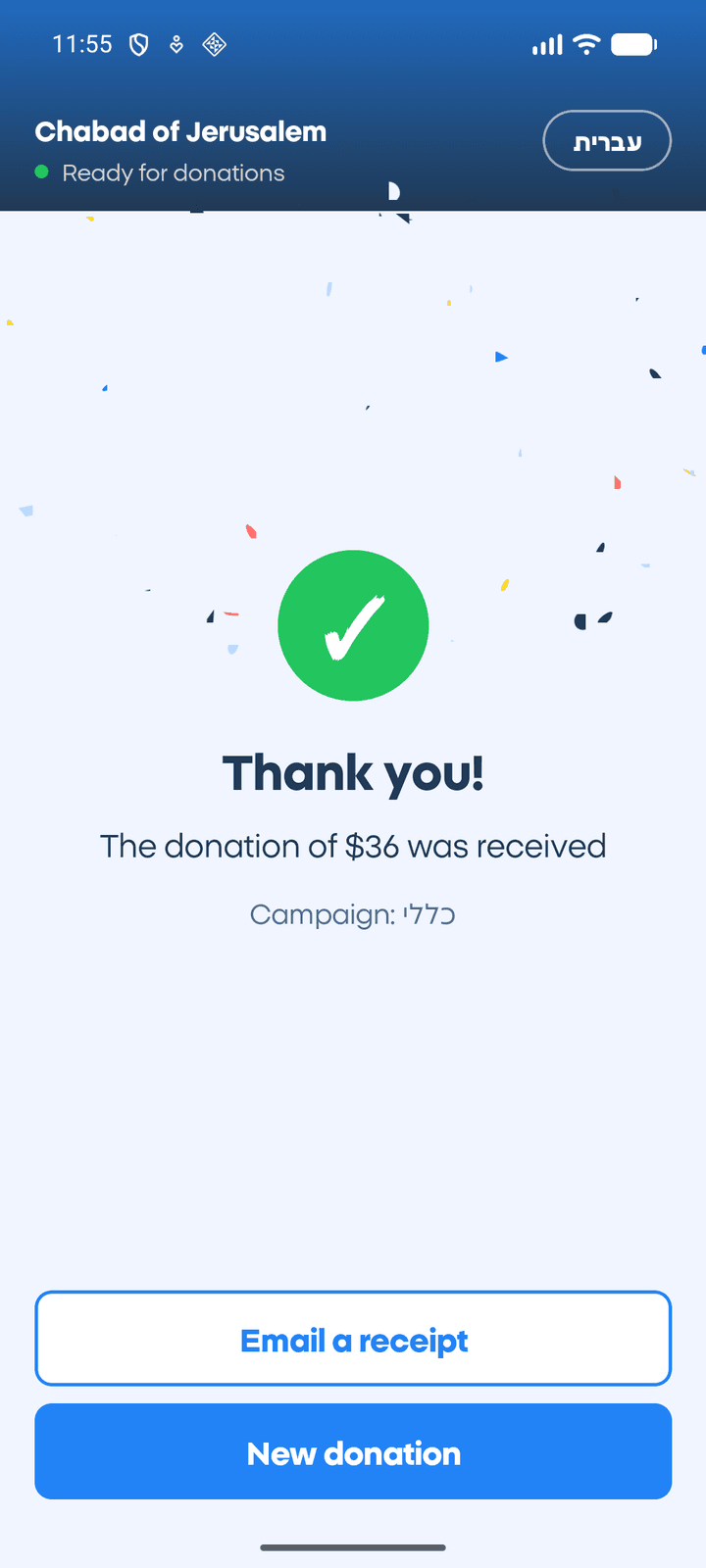
Today's donations screen in the app: a list of donations and a total

Didn't work? There's a way

Tap again, or type the card details into Stripe's secure form.

For nonprofits and organizations
Full control, without giving anyone access to the account.

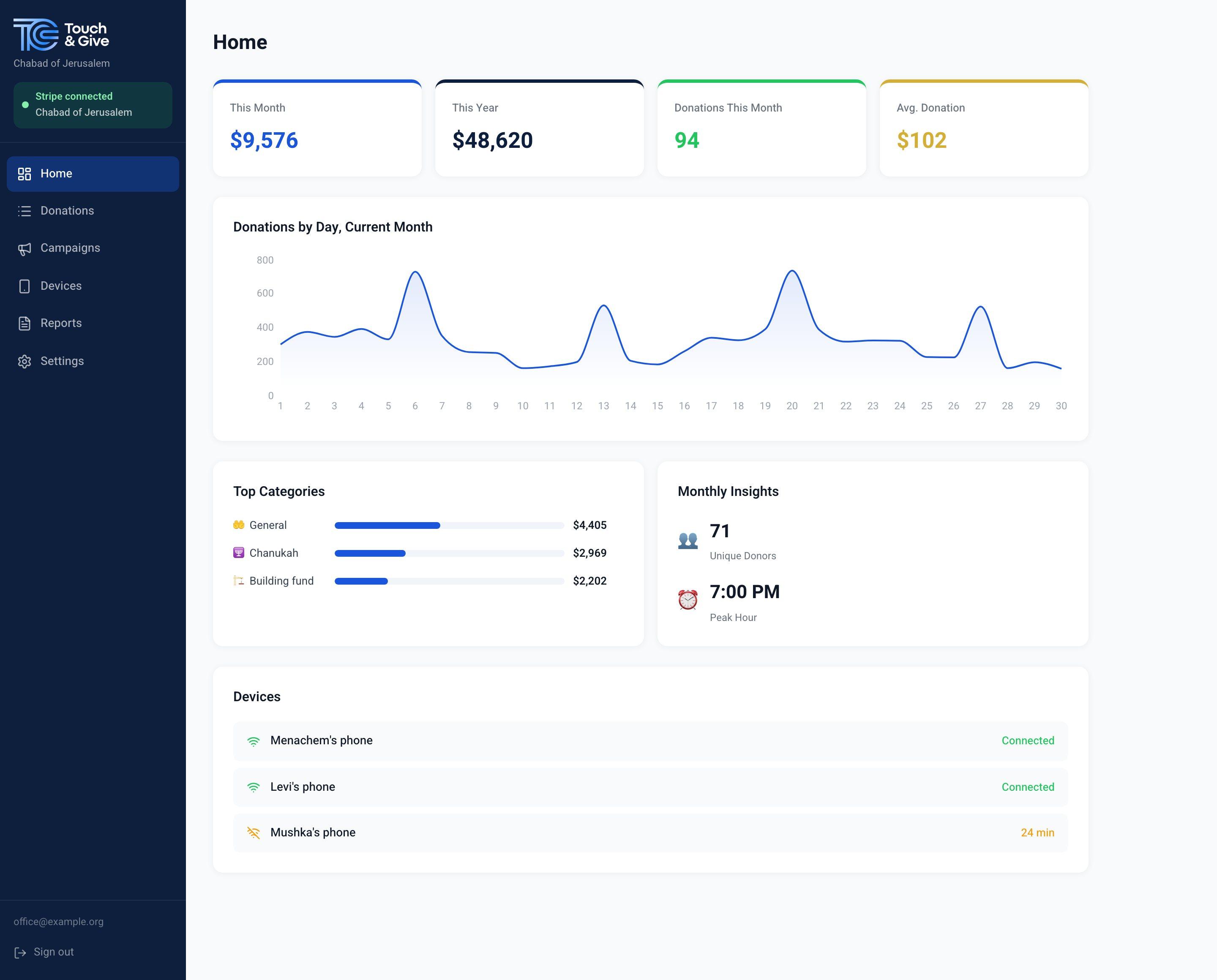
The nonprofit's dashboard with sample data: this month's and this year's totals, a daily donations chart, top campaigns and three emissaries' phones
Sample data
  1. The donor tapsCard or phone
  2. The emissary's phoneWith the code the nonprofit gave them
  3. The nonprofit's Stripe accountThe money goes straight here

Touch & Give never holds the money.

  • Connect once and give each emissary their own code.
  • See every donation from every emissary in the dashboard.
  • The money goes straight to the nonprofit's Stripe account. We never touch it.
  • Emissaries get no access to the account.
  • Lost phone, or an emissary moved on? Disconnect the phone from the dashboard and it stops taking donations right away.

Coming soon

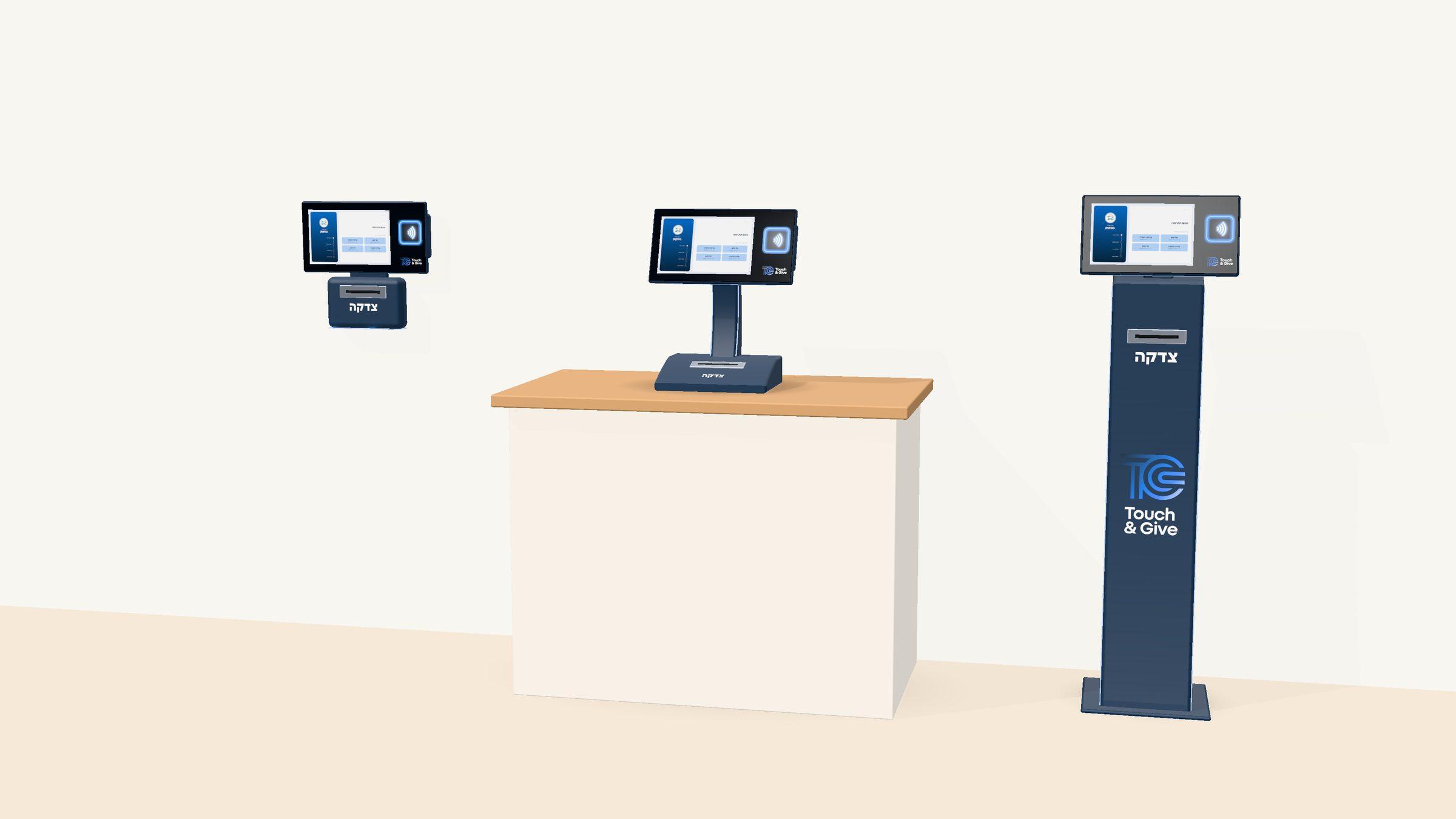
Donation kiosks for Chabad houses and events

A screen and a reader that donors use on their own. Same system, same dashboard.
Want to be the first to know? Leave your details

Rendering of three Touch & Give donation kiosks: on a wall, on a counter and on a floor stand

Frequently asked questions

Does the emissary need their own Stripe account?

No. The nonprofit connects its account once, and the emissary only connects the phone with the code they received.

Which phones does it work on?

Android™ phones with NFC, Android 13 or later, with Google services. All requirements are on the support page. iPhone is in development.

Is it secure?

Card details go only to Stripe. We don't see or store card numbers.

Where does the money go?

Straight to the nonprofit's Stripe account. Touch & Give never holds the money.

Who sees the donations?

The nonprofit sees everything in the dashboard. The emissary sees today's donations on the phone.

How do we start?

Message us on WhatsApp or leave your details, and we'll get back to you.

Talk to us.

Tell us who you are and where you work, and we'll set up a start that fits.

Meheira Inc., which operates Touch & Give, collects these details to get back to you. You don't have to give them by law, but without a name and phone we can't reply. You can ask to see, correct or delete them. By sending, you agree that we may contact you. More in our Privacy Policy.